Rules Groups
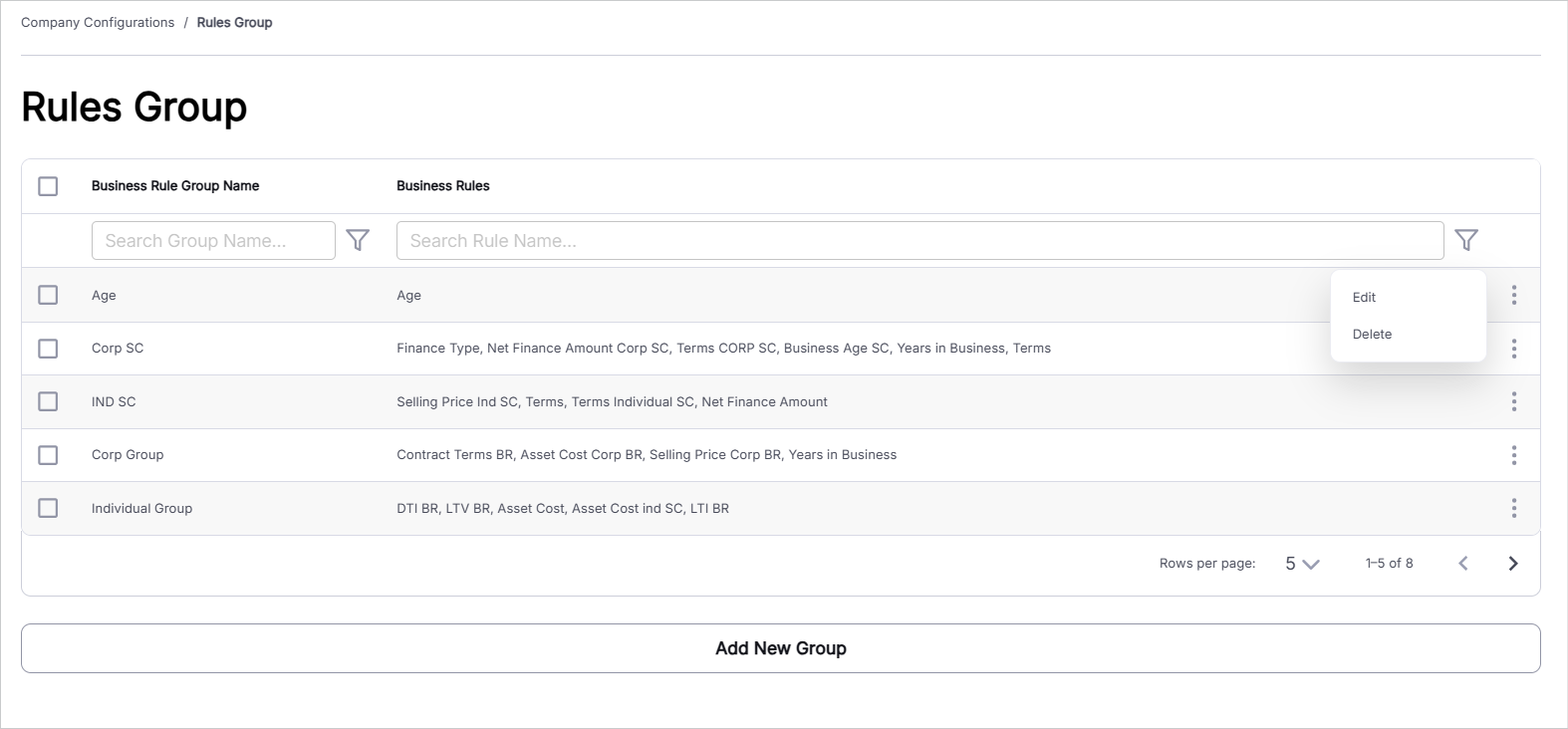
The Rules Groups section is used to create and manage groups of business rules. These groups help organize related business rules and can be associated with a business rule when configuring it under Create/Edit Rules. Users can define a group name and select one or more previously configured business rules to include in the group.
To manage rule groups, follow these steps:
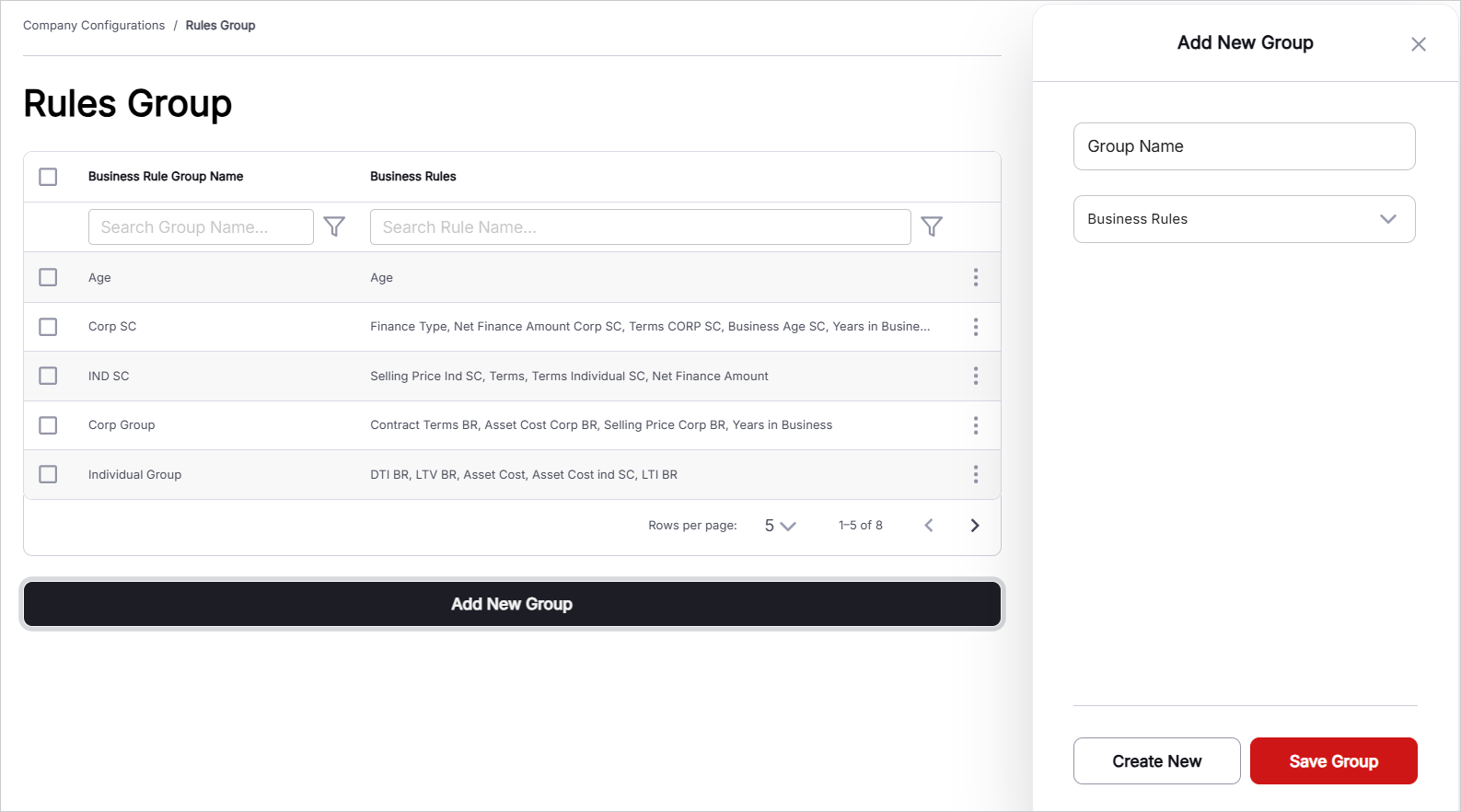
- Add New Group: Click this button to create a new business rule group. Define the group name and select the business rules to be included in the group.
- Input Name: Enter the name of the business rule group. This name identifies the group and can be referenced when associating rules with a group.
- Select Business Rules: Select one or more business rules from the check box drop-down list. The available options are the business rules that have already been created under Create/Edit Rules.
- Managing Existing Records: Existing rule groups are displayed in a tabular format. A Search Bar is available to filter records based on search criteria. The table displays Business Rule Group Name and Business Rules. An ellipsis menu is available on the right side of each record to Edit/Delete the respective rule group.